If your site runs in WordPress, then you will have no doubt already encountered the concept of using WordPress ‘themes’. However, you may not be aware that there are several advantages to designing your own, should you choose to do so.
Of course, the overall purpose of implementing such themes is that they offer a means by which you are able to personalize your site, and make it appear different from the standard WordPress page design. With the majority of people having access to broadband internet from providers such as Verizon or O2, most will be able to utilize much more advanced features than the standard WordPress layout tends to offer. This can help to improve their overall experience of visiting your site – which can be something of a priority of those looking to promote a particular cause, business, or organization.
continue reading »
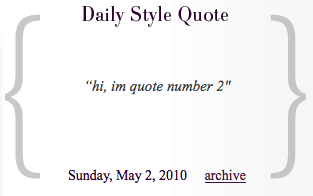 Let’s say you slice a website and need a nicely looking block in a sidebar with one recent post from certain category. Like in case with this one below: Daily Style Quote.